> For the complete documentation index, see [llms.txt](https://docs.me.bot/llms.txt). Markdown versions of documentation pages are available by appending `.md` to page URLs; this page is available as [Markdown](https://docs.me.bot/zh/getting-started/create-your-first-memory.md).
# Create your first memory
Me.bot offers you an open space to capture any thought and organize overloaded information. We'll show you how to create your first memory!
## Set to-dos, receive reminders
Got a sudden request from family and friends on the go or an urgent task you can't afford to forget?
Long press**Speak** or tap **Add -** **Text** to set to-dos.
Start with the prompt "Remind me to..." and specify a time in the input. You can set **multiple reminders** at once.
## Dump thoughts, get inspired
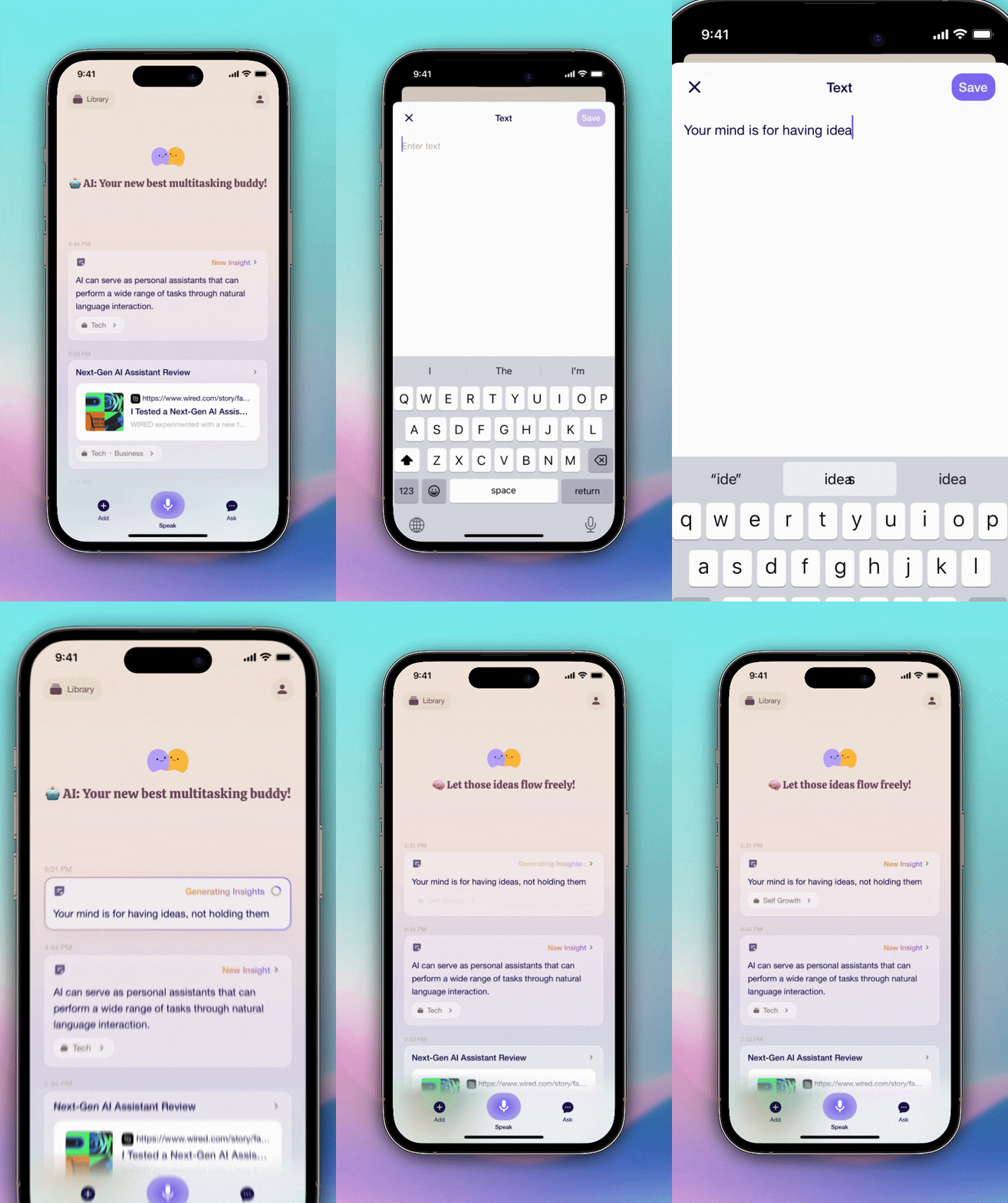
Long press**Speak** or tap **Add -** **Text** to dump random thoughts.
Whether it's a memorable quote from a book, a favorite saying, or even a fun pet name that suddenly came to your mind, just easily jot it down!
## Save links and files, get summary
Have a link or a PDF you can't read right away?
Tap **Add -** **Link** to save a link or tap **Add -** **Doc** to upload your files.
Me.bot generates instant, concise highlights that save you time.
## Add images, log daily life
Tap **Add -** **Image** to upload pictures.
Log your daily meals, capture stunning artwork, or visually document special moments with ease.
## Record voice memos, view transcriptions
Tap **Add -** **Record** to leave your long voice memos from meetings and discussions.
Me.bot creates highlights with precise timestamps for you, followed by detailed transcriptions.
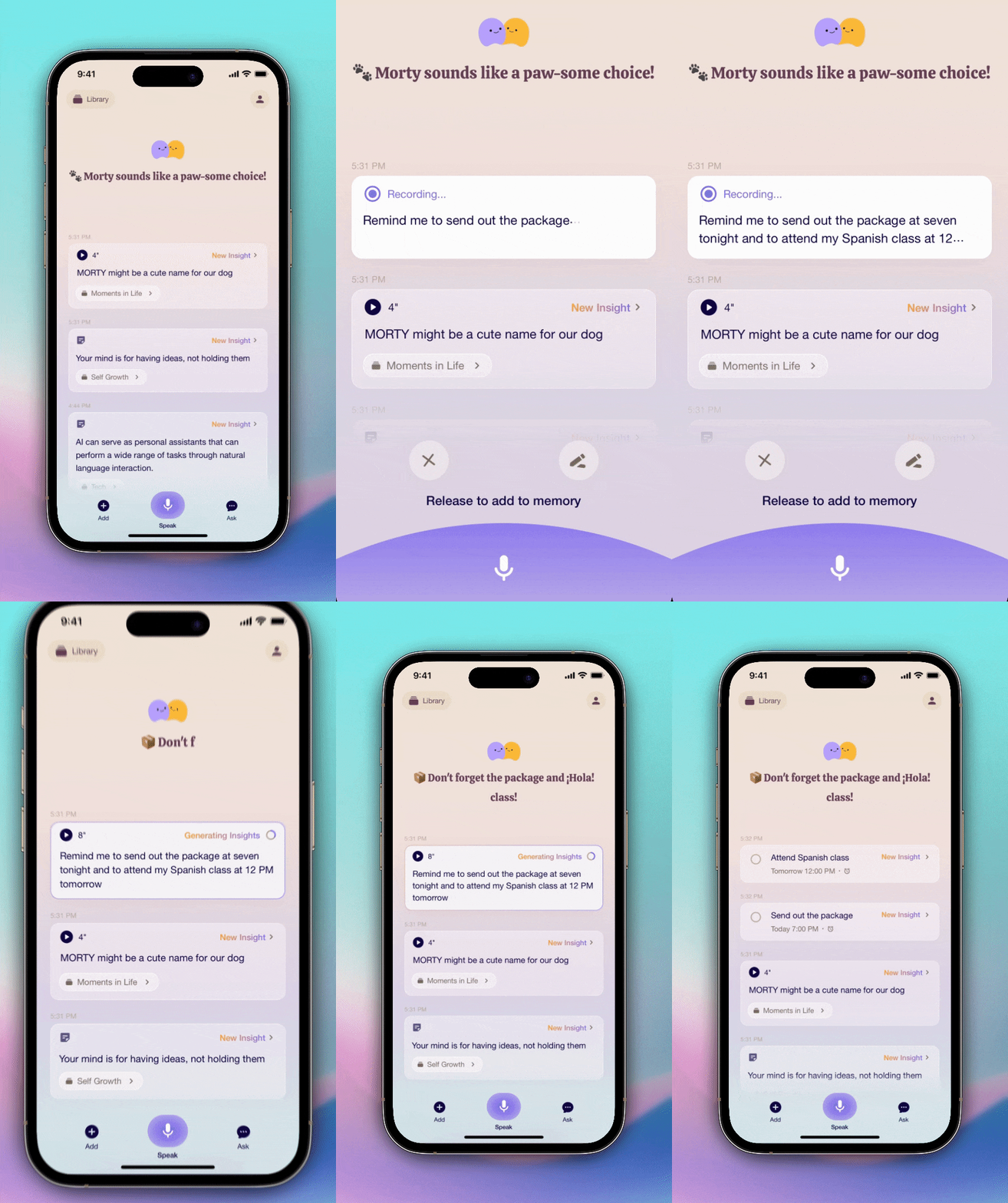
 **Speak** or tap
  **Add -**
  **Text** to set to-dos.
Start with the prompt "Remind me to..." and specify a time in the input. You can set **multiple reminders** at once.
## Dump thoughts, get inspired
**Text** to set to-dos.
Start with the prompt "Remind me to..." and specify a time in the input. You can set **multiple reminders** at once.
## Dump thoughts, get inspired
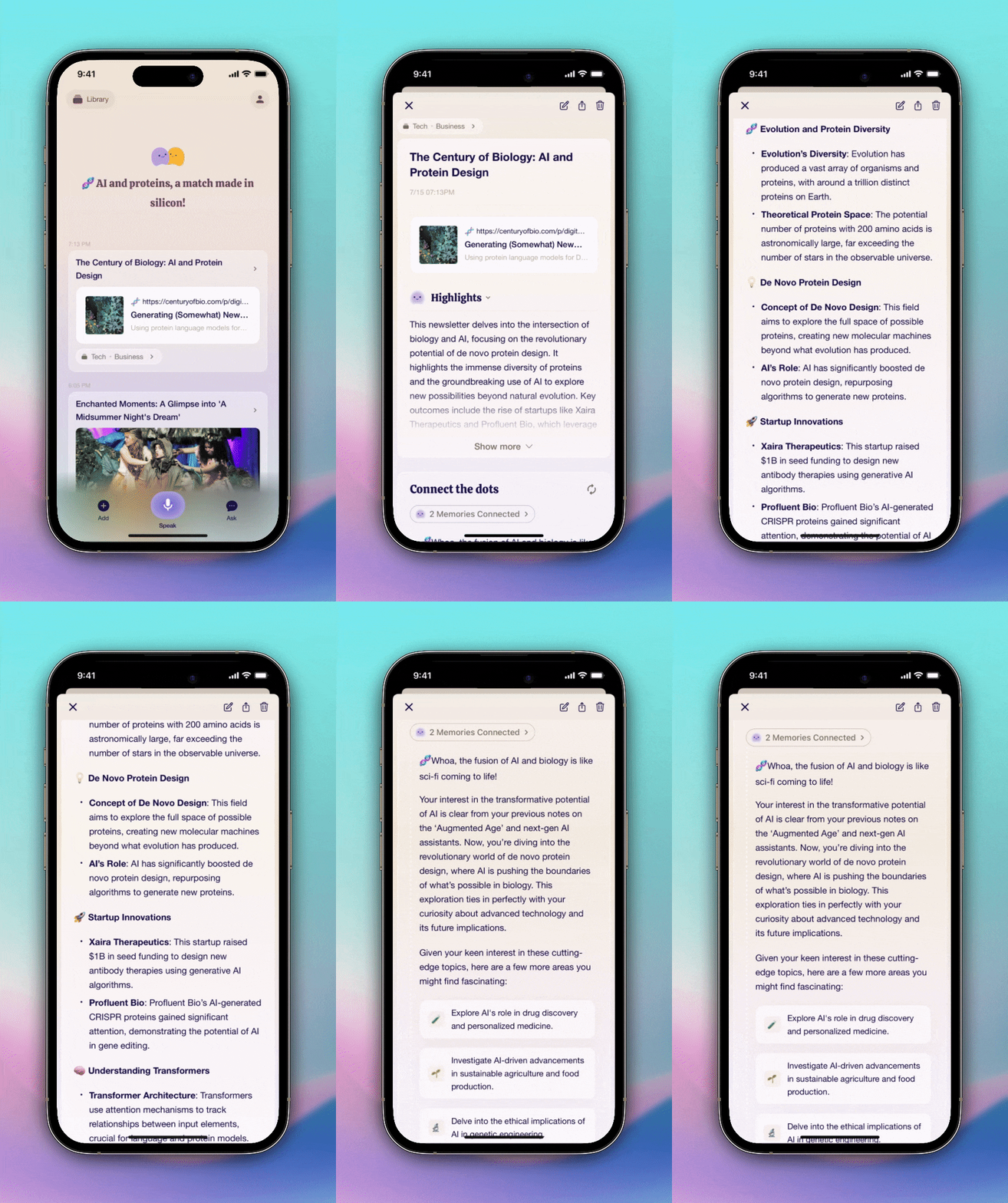
 **Link** to save a link or tap
  **Doc** to upload your files.
Me.bot generates instant, concise highlights that save you time.
## Add images, log daily life
**Doc** to upload your files.
Me.bot generates instant, concise highlights that save you time.
## Add images, log daily life
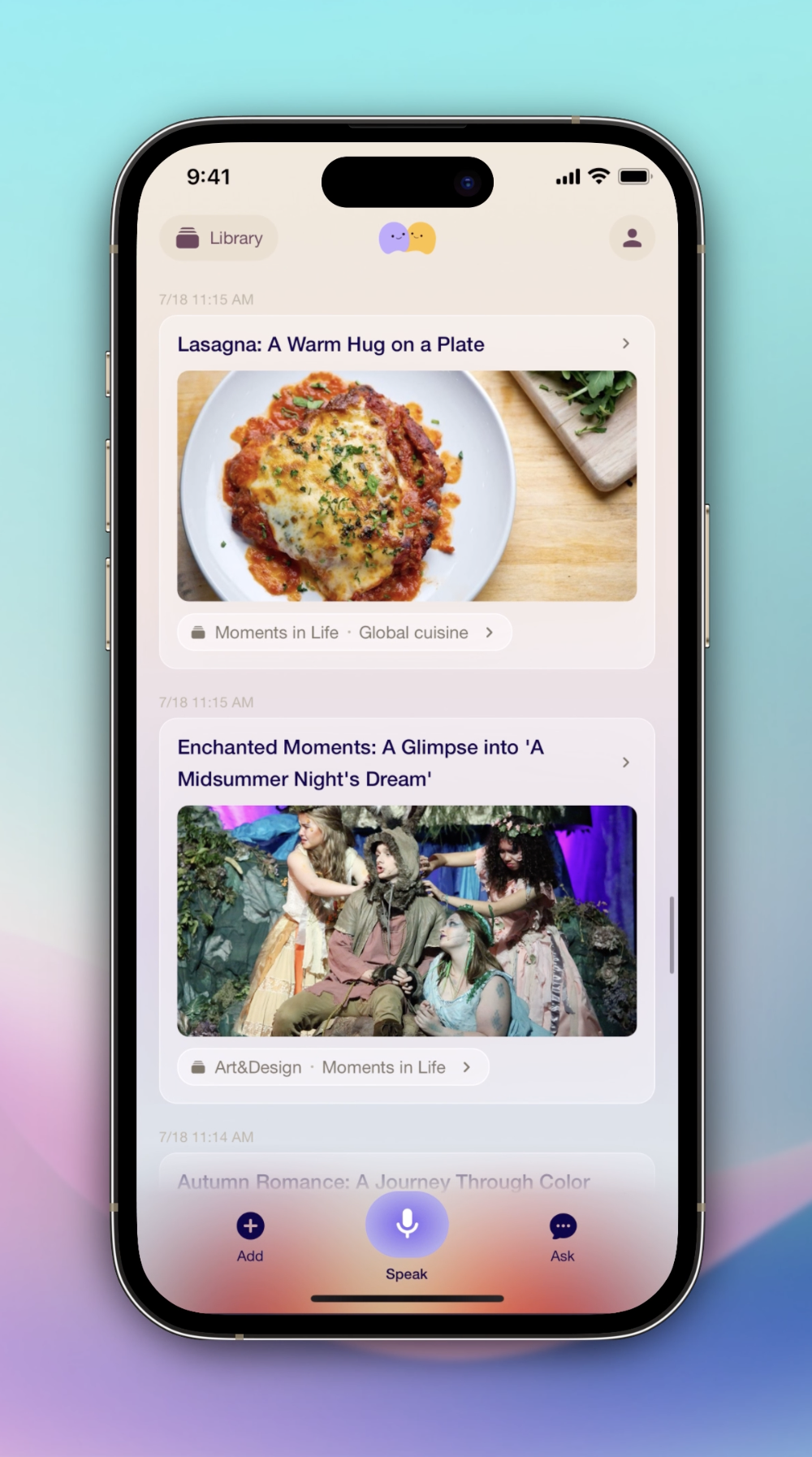
 **Image** to upload pictures.
Log your daily meals, capture stunning artwork, or visually document special moments with ease.
## Record voice memos, view transcriptions
**Image** to upload pictures.
Log your daily meals, capture stunning artwork, or visually document special moments with ease.
## Record voice memos, view transcriptions
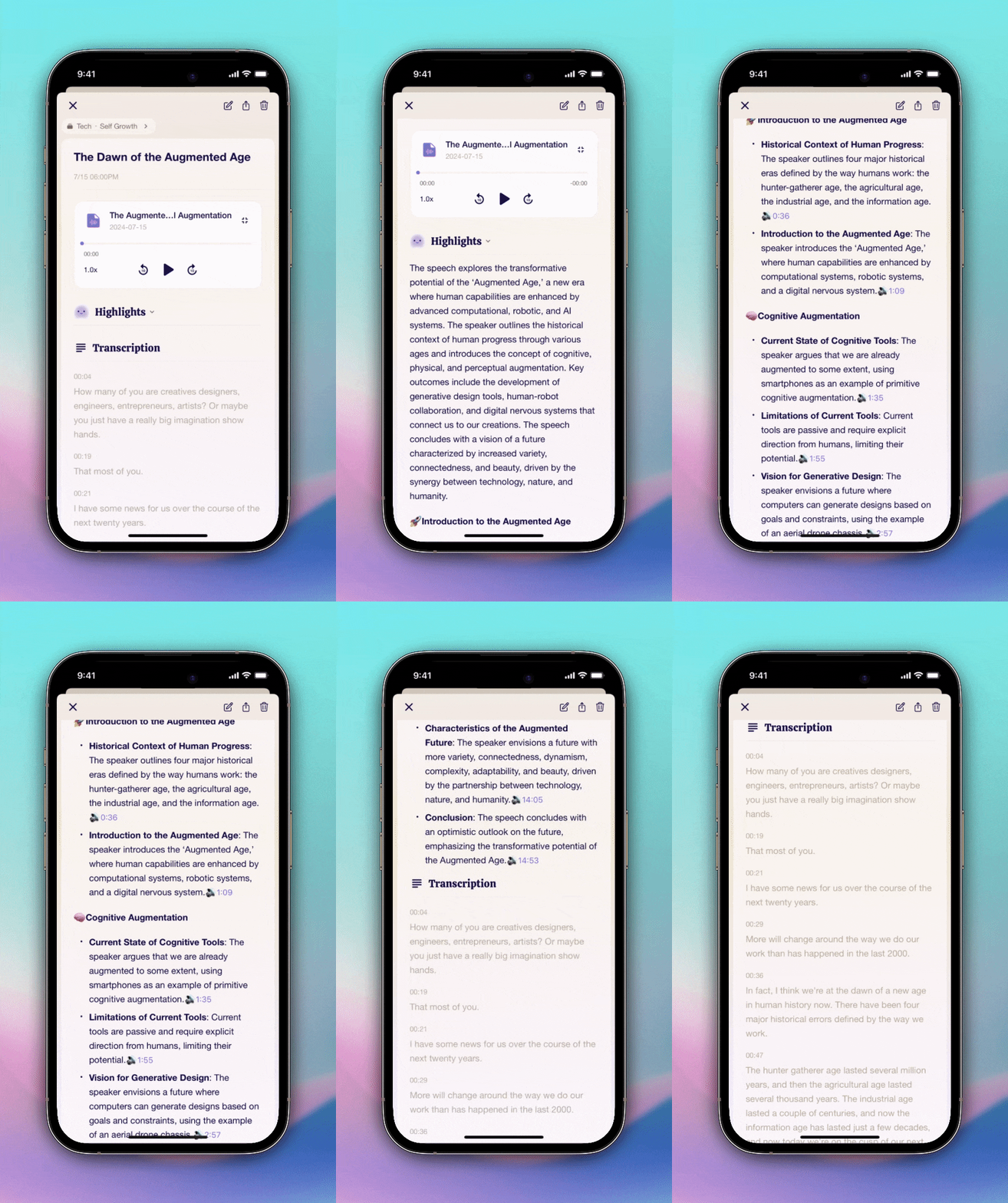
 **Record** to leave your long voice memos from meetings and discussions.
Me.bot creates highlights with precise timestamps for you, followed by detailed transcriptions.
**Record** to leave your long voice memos from meetings and discussions.
Me.bot creates highlights with precise timestamps for you, followed by detailed transcriptions.