> For the complete documentation index, see [llms.txt](https://docs.me.bot/llms.txt). Markdown versions of documentation pages are available by appending `.md` to page URLs; this page is available as [Markdown](https://docs.me.bot/jp/getting-started/retrieve-your-memories.md).
# Retrieve your memories
Me.bot is your second brain where every memory is stored and categorized! Read through the tutorials below to make the most of your Me.bot's memories.
## Look up your memories in the library
Me.bot stores and categorizes everything you upload into its library.
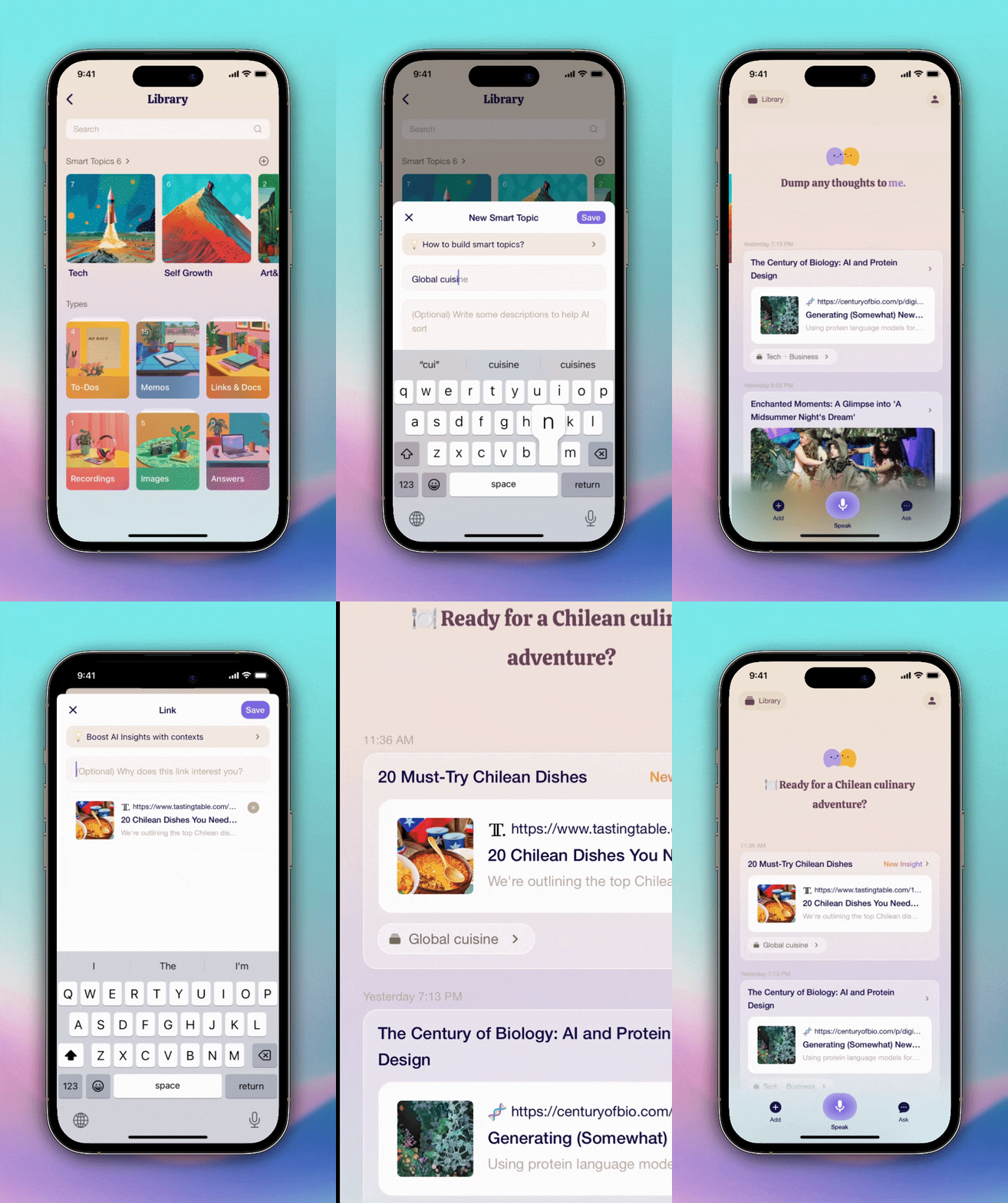
Navigate to **Library**, easily look up your memories by **Types** like to-dos, memos, or images, or explore **Smart Topics** like Self Growth, Tech, Moments in Life and more!
Or just type keywords into search bars.
## Create your custom topics
Have specific interests or hobbies that you love to talk about? Create your own custom topics in **Smart Topics** by tapping , and let Me.bot organize your memories perfectly.
## Ask Me.bot for your vague memories
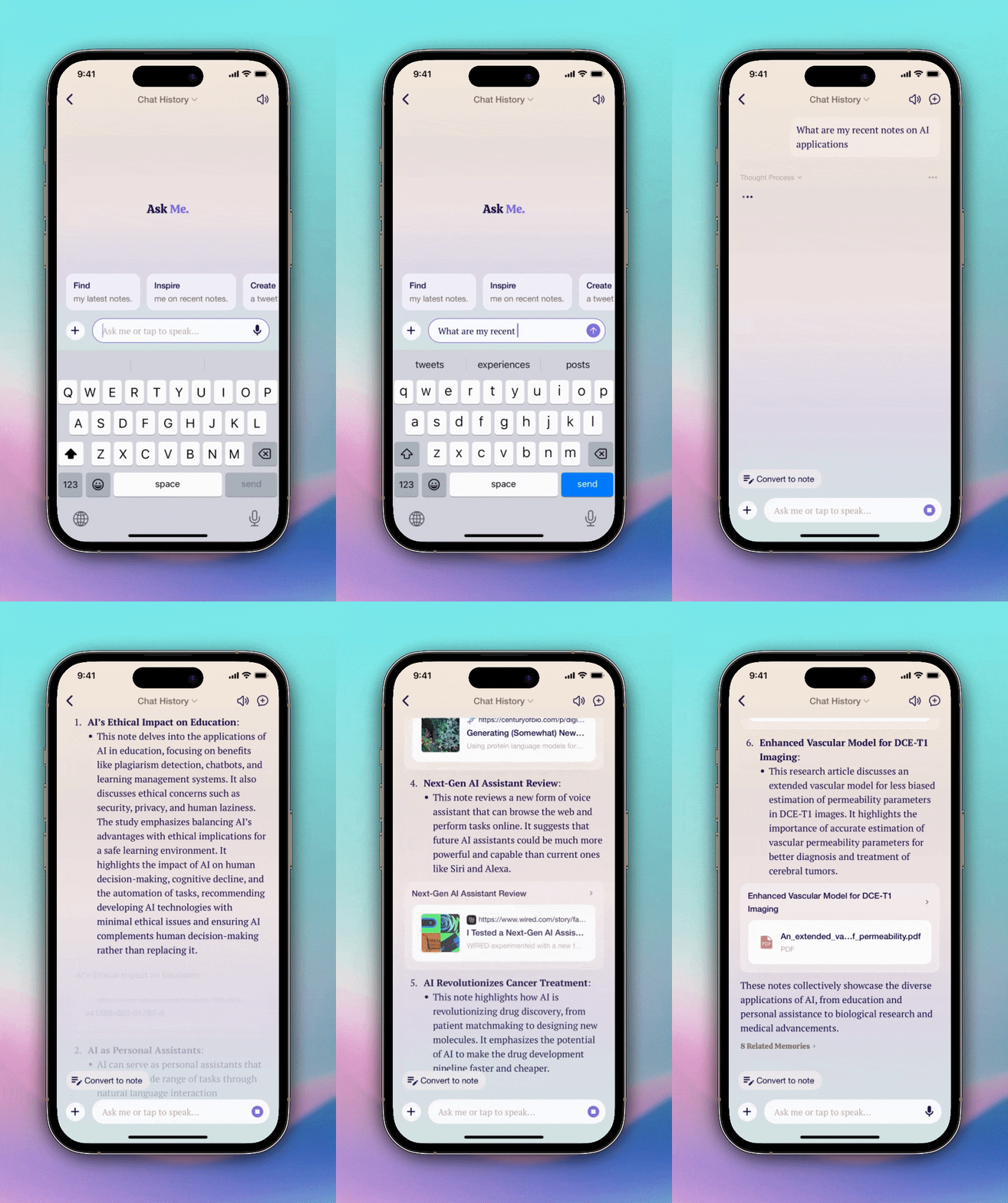
Don't worry if you can't find a memory! Me.bot has your back. Simply describe it using a few words, and Me.bot will help you retrieve the original. With Me.bot, your thoughts are always just a click away.
 **Library**, easily look up your memories by **Types** like to-dos, memos, or images, or explore **Smart Topics** like Self Growth, Tech, Moments in Life and more!
Or just type keywords into search bars.
**Library**, easily look up your memories by **Types** like to-dos, memos, or images, or explore **Smart Topics** like Self Growth, Tech, Moments in Life and more!
Or just type keywords into search bars.
 , and let Me.bot organize your memories perfectly.